


codeSpark - Coding for Kids
3.51.64K Reviews
App Specs
- Version
- 4.31.06
- Updated On
- License
- Free
- Downloads
- 1,000,000+
- Developer
- codeSpark
- Categories
- Educational
- Platform
- Android, iOS
Screenshots
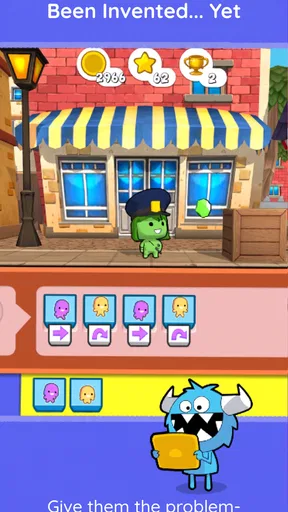
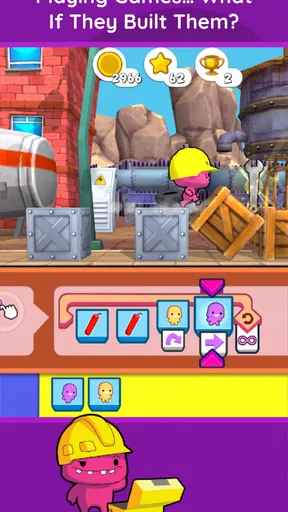
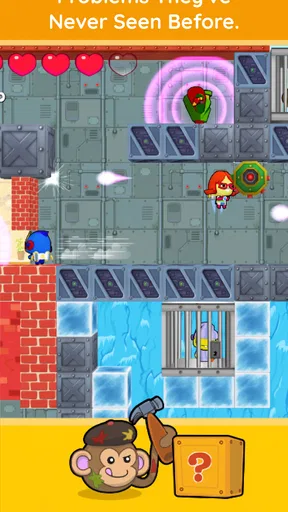
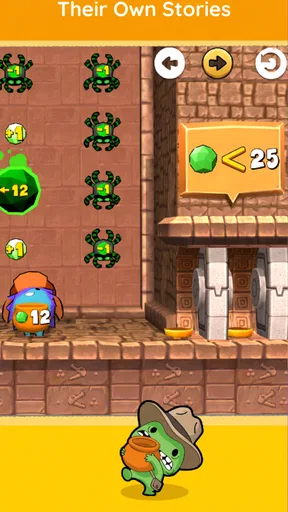
 Analysis by AppCompare
When I judge a coding game for young children, I look beyond whether its puzzles are cheerful: can a child understand what to do, keep going at their own pace, and enjoy it in the setting where a family actually uses a phone or tablet? codeSpark - Coding for Kids is built around visual play rather than long written lessons, which gives it a useful starting point for children who are curious about how instructions make things happen. That approach is promising, though it does not make the experience equally accessible or suitable for every child.
Who may find the visual approach helpful
Because the activities lean on pictures and symbols, a child does not need to read fluently before trying the puzzles. That can make the first steps less intimidating than a text-heavy coding tutorial, and it gives a parent a way to explore basic ideas together with a younger learner. The game is aimed at children from 3 to 10, so the age range covers very different levels of reading, patience, and independence; in practice, I would expect an adult to help a younger child get oriented and let an older child try more on their own.
The symbol-based style also changes the role of a parent. Instead of translating every instruction, I can ask a child to explain what they think a symbol will do, then watch the result together. That small pause turns a quick attempt into a conversation about cause and effect. It is a particularly useful way to share the screen with a child who understands more than they can yet read, without assuming that every learner will interpret the visuals in the same way.
Choosing a good moment to play
I would use a short session as a shared activity, not as a promise that a child will learn coding independently just by opening the app. For example, after school, a parent could sit beside a child, let them choose a puzzle, and ask what they expect their sequence of symbols to make happen. If the child gets stuck, it is often more helpful to invite them to change one part and try again than to take over the controls. That keeps the child in charge of the reasoning.
For a classroom or a family with several children, the same activity can prompt useful comparison: two children can describe different ways they approached a puzzle, even when one is not ready to explain in written terms. I would still treat this as a screen-based supplement rather than a replacement for hands-on building, drawing, or conversation. Children who learn best by moving physical objects around may get more from tangible coding toys, while codeSpark offers the convenience of trying ideas directly on a device.
Families deciding whether to try it should also account for the business model. The game is free to download, but it includes in-app purchases, with items ranging from $3.99 to $119.99. I would check the purchase options before handing a device to a child, and make sure the adult handling the account understands what can be bought. That is practical preparation, not a reason to assume a child must spend money to enjoy the basic idea of coding puzzles.
Getting Started with codeSpark
First off, let's talk about the setup. Installing codeSpark was a breeze. I was up and running in no time, and the interface is super intuitive. The app is designed for kids aged 5 and up, so it's colorful, engaging, and easy to navigate. As soon as you open the app, you're greeted with this vibrant world that's just begging to be explored.
Worth Reading Before You Choose

EA SPORTS FC Mobile 26 Is a Bigger Football Game, but It Takes Time

Flipboard Shows What News Apps Must Do Beyond the Feed

Switching to Android Auto Means Rethinking Your Driving Routine

Google Calendar Makes a Crowded Week Easier to Manage

Ludo King Makes the Most of the Minutes Between Plans

Baby Panda World Brings Quick Play to Modern Phones, but Its Game Library Feels Busy
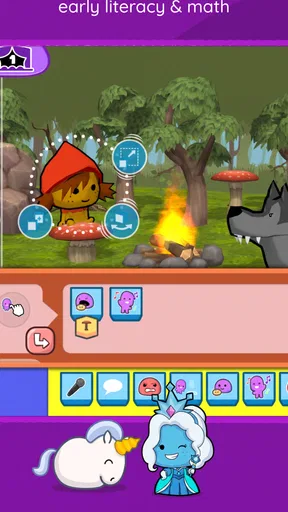
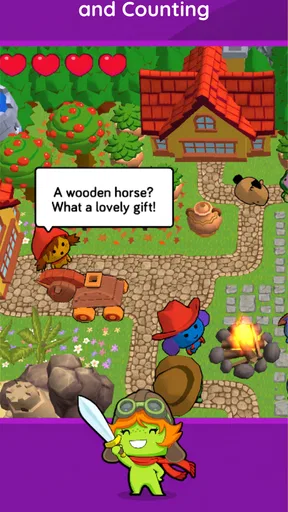
The app uses a character-driven approach to teach coding fundamentals, so kids can learn through play. You start by choosing a character and then dive into various puzzles and challenges that gradually increase in complexity. It's a fun and interactive way to learn, and it doesn't feel like learning at all!
The Learning Experience
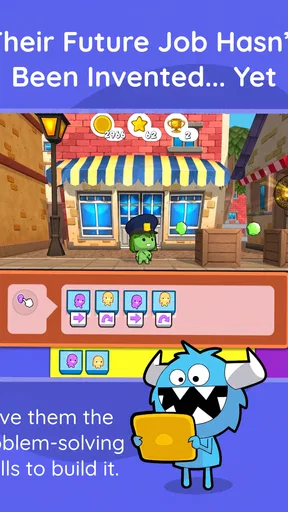
What I love about codeSpark is how it breaks down complex concepts into bite-sized, manageable pieces. The app uses a "no words" approach, relying on visuals and symbols, which is perfect for kids who are just starting to read or might find written instructions overwhelming. The drag-and-drop interface is intuitive, allowing kids to arrange symbols to create sequences, loops, and more.
Each level introduces a new concept, like sequencing, loops, or conditionals, and the app provides instant feedback, which is crucial for learning. If your child makes a mistake, the app guides them to correct it, encouraging problem-solving and critical thinking.
Features that Stand Out
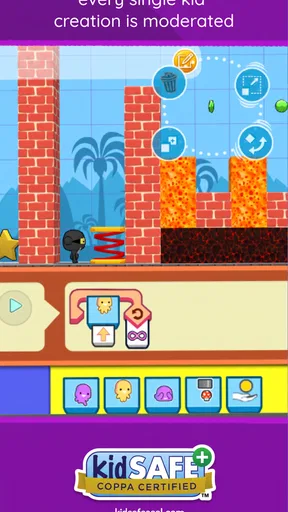
One of the standout features of this app is its game-like environment. The puzzles are cleverly designed to be challenging yet achievable, keeping kids engaged and motivated. The app also includes a "Create" mode, where kids can design their own games and puzzles. This is where their creativity can really shine! They can share their creations with others, which adds a social element to the learning process.
Another cool feature is the parent dashboard. It allows you to track your child's progress and see which concepts they've mastered and where they might need a little extra help. This insight is invaluable for parents who want to stay involved in their child's learning journey.
Understanding its place among coding options
As an educational game from codeSpark, this app occupies a middle ground between a very simple cause-and-effect game and a conventional coding course built around typed commands. Its visual puzzles make abstract ideas approachable, while the creation activities give a child room to experiment beyond choosing a correct answer. I would choose it when the goal is to make early coding concepts feel playful; I would choose a text-based course later, when a learner is ready to type, read detailed explanations, or work toward building a larger project.
The creation mode is worth treating as a second kind of activity rather than simply more puzzle levels. A child can return to an idea they encountered in a challenge and try to use it in something they invent. I would ask them to describe the goal of their game before they start arranging things, then encourage one small change at a time. That workflow gives the adult a way to notice whether the child is making deliberate choices or tapping at random, without turning play into a test.
There is a trade-off to sharing creations: anything social is best explored with adult guidance, especially for younger children. I would look at the sharing options together and establish simple family rules before a child uses them. If you want a completely offline, private activity with no possibility of sharing, a physical puzzle or a paper-based coding game may be a better fit for that session.
Motor, sensory, and situational considerations
Drag-and-drop controls are straightforward in concept, but they still depend on a child being comfortable with a touchscreen and precise enough to move symbols where they want them. If a learner finds tapping or dragging tiring, I would keep sessions brief and stay nearby to help with the controls without solving the puzzle for them. A larger screen may feel easier to manage than a small phone, but the right device depends on the child and their usual setup.
The bright, animated presentation may hold attention for some children and feel busy to others. I would watch how a particular child responds rather than assume that colorful visuals are automatically calming or accessible. If they become distracted, frustrated, or overwhelmed, a quieter activity away from the screen may be the kinder choice. The app’s visual instructions can reduce reliance on reading, but they are not a universal substitute for text, spoken guidance, or adult explanation.
Situationally, the game suits a parent-child activity at home, a brief turn during a quiet moment, or a guided classroom exercise where an adult can help children talk through their choices. It is less suitable when a child needs an activity that requires no screen interaction, when device access is shared and interruptions are frequent, or when a family specifically wants a structured lesson in written programming syntax. I would also avoid presenting it as a complete coding curriculum: playful exposure is valuable, but it is only one way to begin.
For practical expectations, the game is free, rated for Everyone, and has a current version of 4.30.01; Android users need version 5.1 or later. It has an average rating of 3.5 from around 13,000 ratings, with about 1,600 written reviews and over a million installs. Those figures suggest a widely tried app with mixed reactions, not a guarantee that every child will connect with its teaching style. I would let a child try a short activity and judge their interest directly rather than relying on popularity alone.
Why It's a Great Choice
Now, let's talk about why codeSpark - Coding for Kids is a fantastic choice for young learners. The app is designed with educational experts and real teachers, ensuring that the content is pedagogically sound. Plus, it aligns with several educational standards, making it a reliable resource for both parents and educators.
It's also worth mentioning that the app is completely ad-free, which is a huge relief. You don't have to worry about your kids being distracted by ads or accidentally clicking on something they shouldn't.
codeSpark was released on November 3, 2014, and the long-running presence of the game is useful context when deciding whether to introduce it, but I would focus more on how your child responds to its particular puzzles than on longevity. If your child enjoys testing a sequence, seeing what happens, and revising it, the format may click. If they want open-ended construction from the start, or need detailed verbal explanations at each step, a different learning tool—or an adult-led activity—may suit them better.
Final Thoughts
In conclusion, codeSpark - Coding for Kids is an excellent tool for introducing children to the basics of coding. It's fun, educational, and perfectly tailored for young minds. Whether you're a parent looking to give your child a head start in tech or a teacher searching for a new classroom resource, this app is worth checking out.
If you’re eager to nurture your child's interest in coding, I’d definitely recommend giving this app a try. It’s available on both Android and iOS, so you can easily download and explore it together. Happy coding!
My inclusive verdict
I recommend trying it with a child who enjoys visual puzzles and can use a touchscreen comfortably, especially if an adult can join in when a concept or control is confusing. Its strongest inclusive quality is that early play does not depend on fluent reading; its limits are that symbols, colorful screens, and dragging controls will not meet every sensory, motor, or communication need. I would treat the game as one option in a child’s learning mix, not a universal solution, and switch to quieter, tactile, or more text-led alternatives when those better match the learner.
Pros
- Engaging and interactive learning experience.
- Kid-friendly interface and design.
- No reading required
- perfect for younger kids.
- Wide range of creative coding puzzles.
- Regular updates with new content.
Cons
- Limited customization options for avatars.
- Requires internet for new content updates.
- Subscription needed for full access.
- Can be repetitive over time.
- Some activities may feel too simplistic.
FAQs for codeSpark - Coding for Kids
What age group is codeSpark - Coding for Kids suitable for?
codeSpark is designed for children aged 5 to 10 years old. The app uses a game-like interface to teach basic coding concepts through interactive puzzles and challenges, making it ideal for young learners who are just starting to explore the world of coding.
Does codeSpark require any prior coding knowledge?
No prior coding knowledge is required to start with codeSpark. The app is tailored for beginners and uses visual programming to introduce coding concepts. Its intuitive design ensures that children can grasp the basics of coding logic without needing any previous experience.
What devices are compatible with codeSpark - Coding for Kids?
codeSpark is available for both Android and iOS devices. It requires Android 4.4 or later, and iOS 9.0 or later to run smoothly. The app is optimized for tablets and smartphones, providing a seamless experience across different screen sizes.
Is there a subscription fee for using codeSpark?
Yes, codeSpark operates on a subscription model. While there is a free trial available for new users, continued access to all features and content requires a monthly or annual subscription. This model supports regular updates and new content to keep the learning experience fresh and engaging.
How does codeSpark ensure child safety and privacy?
codeSpark prioritizes child safety and privacy by not collecting personal information from children. The app complies with COPPA (Children's Online Privacy Protection Act) and other relevant regulations. Parental control features are also available, allowing parents to monitor and manage their child's app usage effectively.


